

Most recruiters do not study portfolios during bulk resume screening, but they often open them once you pass the first filter, especially for roles with tangible output such as design, writing, or engineering. Indeed reports that recruiters frequently defer portfolio review until after an initial screening. So prepare a short TL;DR and a focused set of role-relevant samples before you apply.
TL;DR:
- Recruiters often review portfolios after the first screen, especially for design, writing, photography, and engineering; retail and call center roles rarely need one.
- Lead with a brief summary of your target role and strongest results, then show job relevant samples with your contribution, process, and measurable outcomes.
- Recruiters spend about 30 seconds on an initial resume review, so lead with your closest matching sample and provide a compact PDF with stable links.
- Share only cleared material, remove confidential or personal details, and use a dedicated folder; summarize sensitive work rather than exposing original files.
Table of Contents
- When do recruiters actually open your portfolio?
- What belongs in a recruiter-ready portfolio?
- How does a portfolio strengthen your resume?
- How do you make a portfolio scannable for busy recruiters?
- What do hiring research and career services say?
- How do recruiters use AI and interactive features in portfolios?
- Why connect a document repository like Google Drive?
- What security and privacy rules apply when sharing interactive portfolios?
- What are effective recruiter queries for an AI portfolio assistant?
- What technical requirements should an AI-interactive portfolio meet?
- Author perspective: how should job seekers think about portfolios today?
- How does Alloquy make your portfolio recruiter-ready?
- FAQ
- Sources
When do recruiters actually open your portfolio?
The sequence is fairly consistent. A resume passes through applicant tracking software or a quick human skim first. If you clear that filter, a recruiter holds a prescreen or phone screen, and the portfolio is typically opened at that point or just after it. Indeed advises that recruiters often prefer to review portfolios after an initial screening to manage time, and that high application volume pushes deep portfolio review later in the process.
This means your portfolio rarely needs to win the initial screening. It needs to survive the second look, when a recruiter or hiring manager wants proof for a claim your resume made.
Watch for these triggers that raise the odds of a portfolio check:
- The job description asks for samples, a link, or “a body of work.”
- The role produces visible output: design, photography, writing, front-end development, data visualization.
- A recruiter asks for work samples during or right after the phone screen.
- Your resume makes a bold claim, such as a measurable lift or a launched product, that invites verification.
- The application form includes a portfolio or website field.
For roles centered on task execution, such as retail or outbound call centers, Indeed notes portfolios are generally not necessary. Spend your effort where the evidence will be read.
What belongs in a recruiter-ready portfolio?
Think of your portfolio as a conversion tool, a phrase Indeed uses for tailoring it to the skills and outcomes in the target job description. Trim it until each item earns its place.
- A TL;DR outcome summary. A brief introduction at the top: who you are, the role you target, and your strongest results.
- A focused set of role-relevant samples. Pick the work closest to the job description rather than everything you have ever made.
- Short project summaries. Briefly state your role, your process, and a measurable outcome for each project.
- Contact details and a downloadable PDF. Give recruiters a way to reach you and a version that survives forwarding.
Choose the format by role. A live site suits designers and writers, a GitHub repository suits engineers, and a compact PDF suits attachments and ATS uploads. Whatever you pick, links should be persistent, easy to open, and never require a sign-in.
Pro Tip: Match sample titles and keywords to the job description. Indeed recommends linking directly to the most relevant work instead of a generic collection.
For concrete layouts, our job application portfolio guide shows how to map each sample to a resume claim.
How does a portfolio strengthen your resume?
A resume asserts. A portfolio demonstrates. Indeed notes that recruiters use portfolios to verify skills that are hard to convey on a resume. SHRM’s 2025 guidance on skills-based hiring describes the strongest portfolios as “evidence-backed stories” that explain process, problem-solving, and outcomes, and says hiring teams are shifting toward project-based evidence to predict on-the-job success.
When a recruiter opens a sample, these are the signals they tend to look for:
- Relevance: does the work resemble what the team ships?
- Measurable impact: a number, a before-and-after, or a clear result.
- Your role versus the team’s: what you personally decided, built, or wrote.
- Clarity: a reader outside your field can quickly follow the story.
- Polish: consistent formatting, working links, no placeholder text.
Context matters because the resume is read fast. As UIUC’s Career Center puts it, a potential employer typically spends around 30 seconds on an initial resume review, which is why the guidance there stresses customizing materials for the role.
Roughly 30 seconds is the typical initial resume review, according to the UIUC Career Center. A portfolio sample with a clear outcome gives a recruiter something firm to hold onto after that skim.
If you work in design, our UX portfolio examples show how case studies pair process with proof.
How do you make a portfolio scannable for busy recruiters?
The goal is a fit decision in 30 to 60 seconds. Everything about layout should serve that.
- Lead with the TL;DR. Show your strongest outcomes and the role you played before any project detail.
- Name files plainly. “Jordan-Lee-Product-Designer-Portfolio.pdf” beats “final_v7.pdf.”
- Keep URLs persistent. A broken link can cost you the second look.
- Remove friction. No sign-ins, no download walls, no password you forgot to include.
- Offer a compact PDF. Useful for attachments and for recruiters who forward candidates to hiring managers.
- Caption visuals. High-impact images or code snippets should each be captioned with the outcome and your contribution.
Navigation matters too. Hiring teams open work samples with specific expectations, which our piece on portfolio navigation breaks down.
Pro Tip: Put the single sample that best matches the job first. Recruiters rarely scroll past the first screen when the opening item already answers their question.
Developers can see how this plays out for code samples in our developer portfolio examples.
What do hiring research and career services say?
Three strands of guidance converge. Employers, HR professionals, and university career centers all push toward tailored, evidence-based materials rather than volume.
Indeed’s guidance holds that portfolios are essential for roles with tangible outputs and that recruiters often defer detailed portfolio review until a candidate clears an initial screening. SHRM supports project-based evidence as a better predictor of job performance than credentials alone, and recommends context for each project: process, role, and quantifiable outcomes.
Hiring teams are shifting toward evaluating core competencies and project-based work to predict on-the-job success. (paraphrased from SHRM’s 2025 skills-based hiring guidance)
On the candidate side, the UIUC Career Center recommends customizing application materials to emphasize role-relevant skills, and its LinkedIn guidance suggests using profile sections and recommendations to validate work beyond a resume.
About 30 seconds of initial resume attention, per UIUC, is the window your documents have to earn a deeper look.
How do recruiters use AI and interactive features in portfolios?
A static portfolio forces a recruiter to hunt. An interactive portfolio with an AI assistant lets them ask. Instead of searching through case studies to find who led the migration, a recruiter types the question and receives an answer grounded in the candidate’s own linked documents.
This can change the review in several ways. First, verification gets faster: the answer points to the underlying document, such as a project brief, a performance review excerpt, or a published article. Second, the recruiter can probe the exact claim that matters for their open role rather than reading everything. Third, the candidate’s depth shows without forcing a long page. A short TL;DR can sit on top while detailed evidence remains easy to access.

On Alloquy, a recruiter can query the custom AI assistant on a public profile, and answers draw from the achievements and evidence the candidate has linked. Because the assistant works from verified material rather than free-floating claims, the exchange stays contextual and accurate. That matters in a prescreen, where a recruiter wants a quick yes or no on fit without scheduling another call.
For candidates, the practical lesson is to write each project so a stranger could interrogate it. Describe the problem, your decision, the constraint, and the outcome. Our interactive portfolio guide walks through recruiter-ready structure for this format.
Why connect a document repository like Google Drive?
Portfolios go stale. A project ships, a metric moves, a certificate arrives, and the page you built last spring no longer reflects your work. Connecting a document repository changes the update loop: the source of truth lives where you already keep your files, and the portfolio draws from it.
With Alloquy, you can link Google Drive documents to build a dynamic public profile. That brings several practical benefits:
- Linked evidence. Your portfolio can draw on documents you link to it.
- Stronger traceability. Each claim can point back to a real document, which is the kind of proof recruiters look for after a resume skim.
- Faster tailoring. When a new application asks for different emphasis, you pull from material already organized rather than hunting through old email attachments.
- Consistency across documents. Resumes and cover letters generated from the same verified data stay aligned with your portfolio instead of drifting apart.
You can also add evidence manually if a file lives elsewhere, so a repository connection is a convenience rather than a requirement.
One habit makes this work well: keep your folder organized by project, with a short summary file stating your role, dates, and outcome. A clean folder produces cleaner answers when a recruiter asks a question. It also protects you from accidentally surfacing a draft or a file that was never meant to be public, which brings us to access control.
What security and privacy rules apply when sharing interactive portfolios?
An interactive portfolio is public-facing by design, so decide deliberately what it can see. The safest working rule: link only what you would be comfortable showing a recruiter, and keep everything else out of the connected folder.
Before you publish, review these points:
- Audit your source files. Remove salary details, personal identification numbers, home addresses, and anything marked confidential.
- Respect employer confidentiality. Client names, internal metrics, source code, and unreleased work may fall under agreements you signed. Redact or summarize instead of exposing originals.
- Separate public and private evidence. Use a dedicated folder for portfolio material rather than pointing the connection at your whole drive.
- Check sharing permissions. A file that is viewable by anyone with a link behaves differently from one restricted to named accounts. Confirm which you intend.
- Anonymize where needed. Replace colleague names, customer identities, and proprietary figures with descriptions when the context allows it.
- Review periodically. Revisit your linked material whenever you change jobs or finish a sensitive project.
Include a recruiter-facing summary page that states what the portfolio covers and what it deliberately omits. That sets expectations and signals professionalism. If you are unsure whether a document is safe to share, leave it out and describe the outcome in your own words. Absence of a sample costs far less than a confidentiality breach.
What are effective recruiter queries for an AI portfolio assistant?
The best questions are specific, tied to the job, and answerable from evidence. Recruiters who use them get useful responses; candidates who anticipate them can structure their material accordingly.
Examples worth preparing for:
- “What was this candidate’s individual contribution to the checkout redesign?”
- “Which projects show experience managing a cross-functional team?”
- “What measurable results came from the onboarding project?”
- “Has this candidate worked with SQL or Python in production?”
- “Which document supports the claim about reducing support tickets?”
- “Describe a time this candidate handled a tight deadline, with evidence.”
Notice the pattern. Each question targets a claim, asks for an outcome, or requests proof. Vague prompts such as “tell me about this person” produce generic answers, while pointed prompts surface the evidence you linked.
For candidates, work backward from these questions. For every major resume bullet, ask yourself what a recruiter would ask next, then make sure a document answers it. A bullet about cutting costs should connect to a brief or report stating the baseline, the change, and the result.
You can also rehearse by asking your own assistant the same questions and checking whether the answers are accurate and complete. Gaps reveal missing documentation. Filling them improves both the AI responses and your live interview answers, since the same stories carry over.
What technical requirements should an AI-interactive portfolio meet?
Compatibility problems quietly kill portfolio reviews. If a recruiter’s browser, company network, or applicant tracking system cannot open your link, they will not troubleshoot it. They will move on.
Cover these basics:
- Browser support. Test your public profile in current versions of Chrome, Safari, Edge, and Firefox, plus a mobile browser, since recruiters often check links from a phone.
- No-login access. Recruiters should reach your profile and assistant without creating an account.
- Corporate network tolerance. Some employer networks restrict embedded scripts or unfamiliar domains. Keep a plain PDF fallback ready.
- Linked file formats. Use widely readable formats such as PDF, standard document files, and common image types. Avoid exotic file types that require special software.
- Link stability. Use a permanent profile URL on your resume and in application fields. ATS forms often accept only plain links, so place the URL in text rather than behind a button.
- Accessibility. Add alt text to images, keep contrast readable, and use clear headings so screen readers and quick skims both work.
- Load speed. Compress images and avoid heavy embeds that stall on slow connections.
For Google Drive connections specifically, confirm that the account you link is the one holding the files and that sharing settings match what you want recruiters to see. A short test run before every application pays off: open your link in a private window and check the assistant. If both work, you are ready.
Author perspective: how should job seekers think about portfolios today?
Get your resume right first, because it is what gets you past the first filter. Then build a small, recruiter-friendly portfolio whose only job is to prove your biggest claims. The shift we see is that evidence-linked, interactive profiles remove friction: a recruiter who can verify a claim in seconds is more likely to advance you than one who must schedule another conversation. Treat access control as part of the craft. Share what strengthens your case, protect what is sensitive, and give recruiters a summary page so they know where to start.
— Alloquy Team
How does Alloquy make your portfolio recruiter-ready?
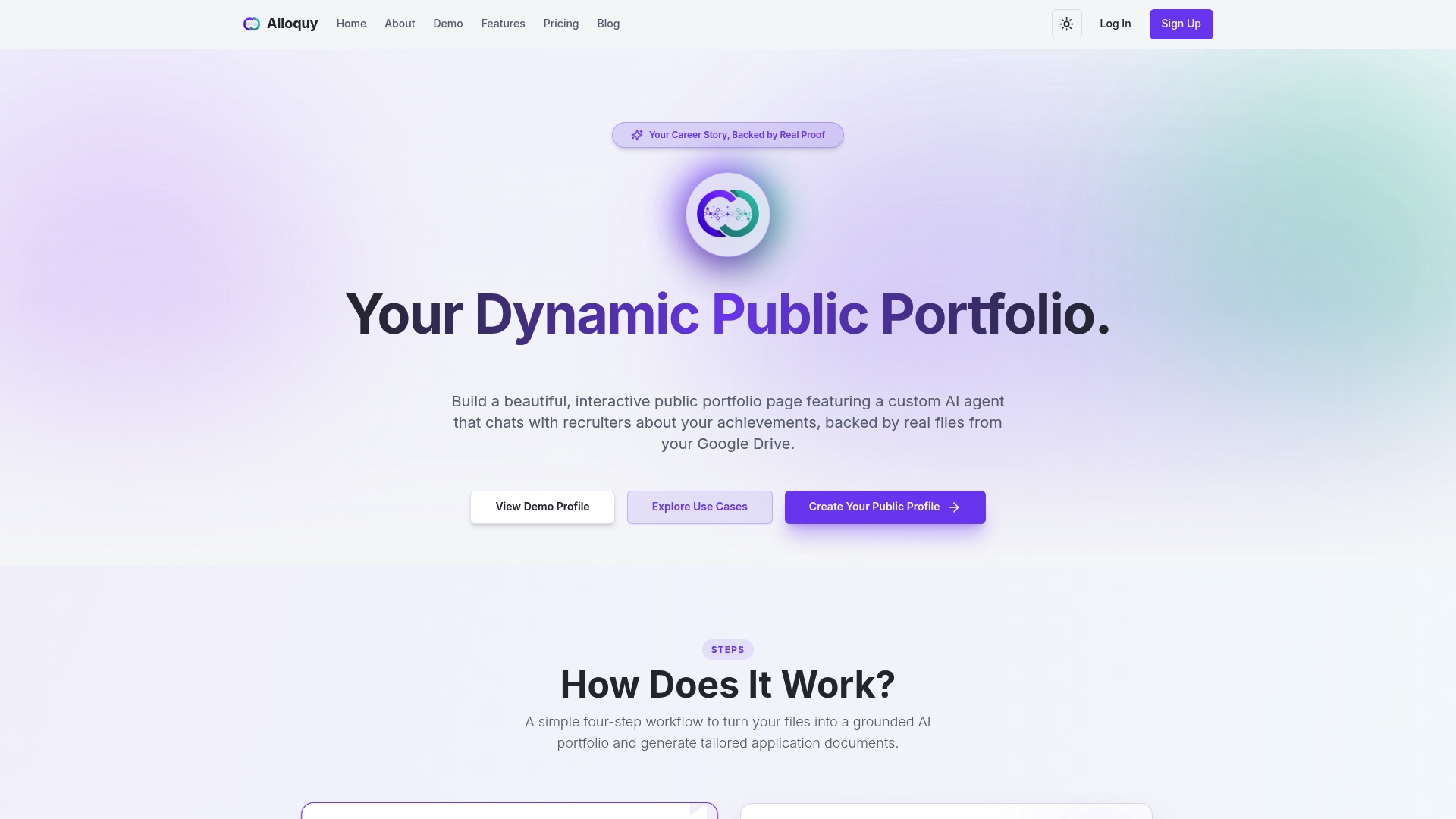
If you want to skip the manual work, we built Alloquy so you can turn your documents into a portfolio recruiters can question directly. Here is what that gives you:
- Verified documents linked to each achievement, so every story has evidence behind it.
- A recruiter-facing profile that supports a quick prescreen decision.
- Tools to generate tailored resumes and cover letters from your verified data.
Start with a free profile, or see how Alloquy works before you build.
FAQ
Do recruiters look at portfolios during the initial screening?
Usually not in depth. Indeed reports that recruiters often review portfolios after an initial screening to manage their time. Expect a closer look at or after the phone screen, particularly for roles with tangible output.
Which roles need a portfolio for recruiter review?
Roles that produce visible work, such as design, writing, photography, and engineering, benefit most. Indeed notes portfolios are generally not necessary for task-focused roles like retail or outbound call centers. Check the job description for requests for samples or links.
How many samples should a recruiter-ready portfolio include?
Aim for a focused set of samples closely matched to the role. Each should state your role, your process, and a measurable outcome. A focused set is easier to evaluate than a large collection.
Should I send a PDF or a live link?
Offer both when possible. A live link suits interactive content and is easy to keep current, while a compact PDF works for attachments and for forwarding to hiring managers. Make sure either one opens without a sign-in.
Is it safe to share work documents in a public portfolio?
Only share what you are cleared to show. Remove confidential data, redact client details, and keep portfolio files in a dedicated folder. When in doubt, summarize the outcome in your own words rather than posting the original file.
Sources
- Indeed
- Designing a No-Fuss Skills-Based Hiring Process
- How to Write a Resume | The Career Center | UIUC