

Pick three to five deployed, well-documented projects and present them as case studies. That single decision will do more for your callback rate than any color scheme, animation, or template choice. Reviewers do not need to see everything you have ever built. They need to see that you can identify a real problem, make defensible technical trade-offs, and ship something that runs.
This article gives you three things: a role-organized gallery of developer portfolio examples worth studying, a step-by-step build guide, and a GitHub and README playbook that removes the excuses reviewers use to close your tab. Most hiring managers filter a developer portfolio in roughly 60 seconds, so structure matters more than volume.
Before you touch a single line of CSS, confirm you can check these boxes:
- At least one project has a live, working demo link, not a “coming soon” placeholder.
- Every case study follows problem, approach, trade-offs, result, reflection.
- Your README explains what the project does and how to run it locally.
- Your GitHub profile shows recent activity and three to six curated pinned repos.
Quick fact: Guides on modern developer portfolios consistently find that multiple well-documented, deployed projects outperform a longer list of shallow ones, because depth signals production readiness in a way that quantity never does.
Key Takeaways
A portfolio built on three to five deployed, well-documented case studies consistently outperforms a longer list of shallow, unfinished projects.
| Point | Details |
|---|---|
| Depth beats breadth | Feature several deployed, well-documented projects instead of many shallow ones. |
| Structure every case study | Follow problem, approach, trade-offs, result, reflection for each featured project. |
| Pass the 60-second test | Make your homepage, one project click, and GitHub check all clear within a minute. |
| Write a real README | Include what it does, how to run it, architecture notes, and a trade-offs discussion. |
| Consider verified evidence | Alloquy turns existing documents into an interactive profile recruiters can question directly. |
Table of Contents
- Developer Portfolio Examples Organized by Role and Style
- How to Build a Portfolio That Survives a 60-Second Review
- GitHub and README Standards Recruiters Actually Check
- Common Portfolio Mistakes and a 5-Minute Self-Audit
- Why Evidence-Backed Portfolios Are Replacing Static Ones
- Showing Soft Skills and Collaboration in a Portfolio
- Keeping Your Portfolio Current as Your Skills Evolve
- Weaving Personal Branding Into Your Portfolio Design
- What Hiring Managers Actually Prioritize First
- Turn Your Portfolio Into an Evidence-Backed Career Story
- Sources
- FAQ
Developer Portfolio Examples Organized by Role and Style
The best software engineer portfolio examples share a structural DNA even when they look nothing alike visually. A frontend developer’s site leans into visual polish and interaction design. A backend engineer’s site leans into architecture diagrams and API documentation. What they all share: a homepage that states clearly what the person does, one to two clicks to a real project, and a repo that opens cleanly.
Below is a role-by-role breakdown of the patterns worth studying in the best developer portfolio websites you will find across the industry, along with what to actually copy from each style. Treat these as design and structure archetypes rather than a single fixed list. Because portfolios change frequently and disappear behind redesigns, focus on the pattern, not the exact site.
1. Frontend developer portfolios that lead with interaction
Frontend-focused programmer portfolio websites tend to use the homepage itself as a demo. Instead of a static “About Me” paragraph, the hero section often contains a live animation, a subtle parallax effect, or a custom cursor interaction that immediately proves CSS and JavaScript fluency before the visitor reads a word.

What to copy: a hero section that shows rather than tells. If you build interactive UI for a living, your own landing page is the fastest proof point you have. A single well-executed scroll animation or hover state does more than three paragraphs describing your “passion for user experience.”
2. Full-stack portfolios built around end-to-end ownership
Full-stack software engineer portfolio examples tend to organize projects by the complete slice of work they represent, front end, back end, database, and deployment, rather than splitting skills into separate categories. The project card usually names the exact stack (React, Node.js, PostgreSQL, Docker) instead of a vague “modern technologies” label.
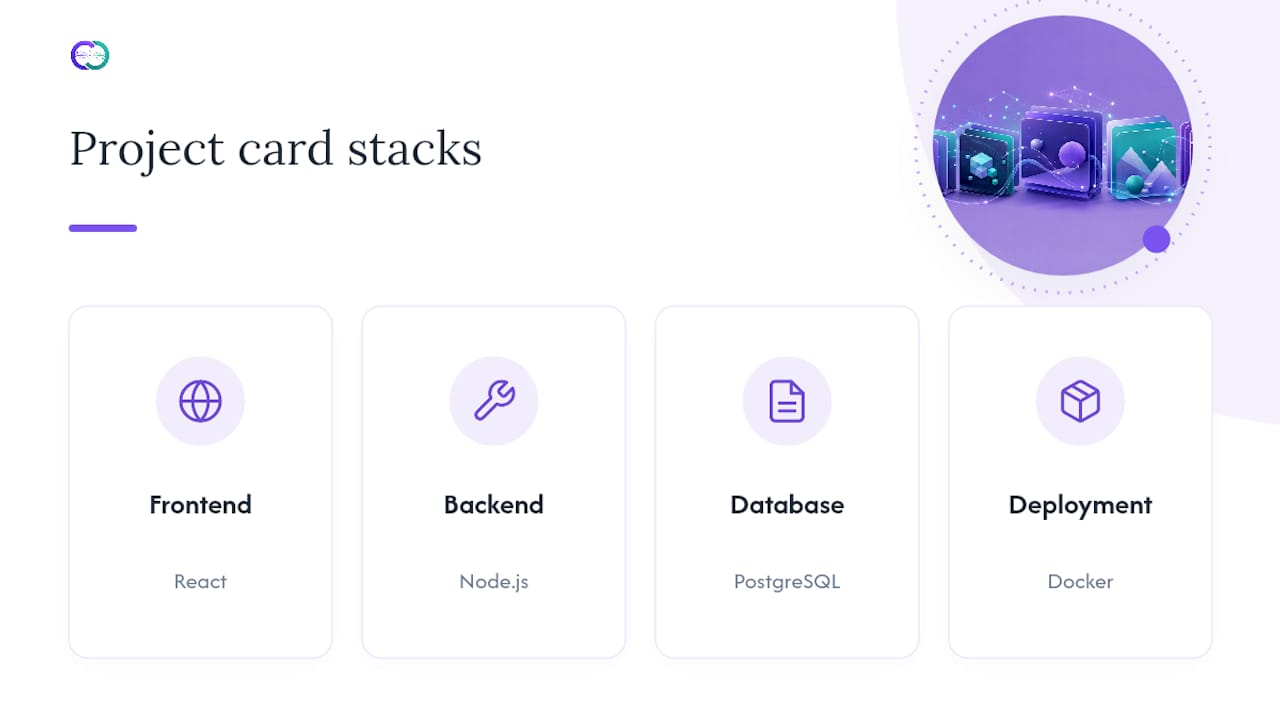
What to copy: project cards that name a specific, concrete stack. Vague labels read as filler. Specific stacks read as evidence.
3. Backend and infrastructure portfolios that lead with systems thinking
This is the category where technical reviewers pay the closest attention, because projects that show a full ecosystem, framework, database, tests, continuous integration, are the strongest signal for backend-focused roles. The best examples in this style skip flashy visuals almost entirely and instead lead with an architecture diagram, a short note on why a particular database or queueing system was chosen, and a link to test coverage.

What to copy: an architecture diagram, even a hand-drawn one exported as an image. It communicates system-level thinking faster than any paragraph of prose.
4. Interactive and data-visualization portfolios
Developers working in data engineering, data visualization, or generative art tend to build coding portfolio examples that are themselves interactive demos, live dashboards, embedded D3.js charts, WebGL scenes, or small playable tools that let a visitor manipulate a dataset in real time.
What to copy: letting the visitor touch something. A slider that changes a chart, a toggle that switches a rendering mode, anything that turns a passive scroll into a two-second interaction proves the underlying skill faster than a screenshot ever could.
5. Tooling and developer-experience portfolios
Engineers who build CLIs, linters, or internal developer tools face a specific challenge: their best work often has no visual interface at all. The strongest programming portfolio examples in this category solve that problem with terminal recording GIFs, animated command-line demos that show a tool actually running against real input and output.
What to copy: a terminal GIF over a static screenshot. Watching a command execute and return a result is far more convincing than a still image of code.
6. Junior and career-switcher portfolios that lean on documentation
For newer developers without years of production experience, the best developer portfolios compensate with unusually thorough documentation. Rather than trying to compete on project complexity, these sites win on clarity: every project has a two-paragraph writeup explaining what was learned, what was hard, and what would be done differently next time.
What to copy: the reflection paragraph. Hiring managers reviewing early-career candidates are often evaluating learning velocity and self-awareness more than raw technical output, and a short “what I’d change” section signals both.
What separates the strongest examples from the rest
Across every style above, a few patterns repeat. Case study structure appears again and again because walking through problem, approach, trade-offs, result, and reflection makes it dramatically easier for an interviewer to assess your thinking process, not just your output. And the projects that get referenced most often in hiring conversations are the ones that solve a real problem or serve real users rather than replicate a tutorial.
A short checklist for evaluating any example you study, including your own:
- Does the homepage state, in one sentence, what this person builds and for whom?
- Can you reach a live, working demo within one click from the homepage?
- Does at least one project explain a trade-off the developer made, not just a feature they added?
- Is there a visible link to the GitHub repo, and does the README load without confusion?
- Does the site feel current, updated within the last few months, rather than abandoned mid-2023?
If you’re building your own site and unsure where to start, pick the role category above that matches your target job, then borrow its dominant pattern rather than trying to blend all five. A backend engineer with a WebGL hero animation and no architecture notes sends a confusing signal. Match your presentation style to the job you actually want.
How to Build a Portfolio That Survives a 60-Second Review
Reviewers move fast. Most developer portfolios get filtered out in about 60 seconds because they take too long to communicate what the person actually does. Your job is not to impress someone who reads every word. Your job is to survive the skim and earn a second look.
Start with the three-to-five project rule, and take it seriously. Guides across the industry converge on this number because three to five well-documented, deployed projects consistently outperform a long list of shallow ones. Every additional weak project on your homepage dilutes the strong ones sitting next to it, since recruiters tend to grade a portfolio by its weakest visible entry, not its average.
1. Structure the site around six sections
Build your site in this order, and resist the urge to add more:
- Hero. One sentence stating your role and specialty, plus a clear path to your best project.
- Project cards. Three to five cards, each showing a title, a one-line summary, the tech stack, and a live demo link.
- Detailed case studies. A dedicated page or section per project going deeper than the card.
- About and contact. Brief, human, and easy to find, not buried in a dropdown.
- Optional blog or writing samples. Two or three short posts.
- Resume and links. A downloadable resume plus consistent links to GitHub and LinkedIn.
2. Write case studies that show your thinking, not just your output
Every one of your featured projects deserves the same five-part structure: problem, approach, trade-offs, result, reflection. This is the single highest-leverage writing you will do on the entire site.
- Problem: What need or gap prompted the project? Be specific about the constraint, not just “I wanted to learn X.”
- Approach: What did you build, and why did you choose this stack over alternatives?
- Trade-offs: What did you sacrifice for speed, simplicity, or scope? This is the section most portfolios skip, and it is the one that signals professional judgment most clearly.
- Result: What actually happened? A working demo, a metric, a screenshot, a user response.
- Reflection: What would you change if you rebuilt it today? Two or three sentences is plenty.
Keep each case study to two or three paragraphs. Nobody wants an essay; they want evidence of judgment delivered fast.
3. Deploy everything, and keep the links consistent
A project without a live demo is a project a reviewer cannot evaluate in under a minute. Deploy through a service appropriate to your stack, static-friendly hosts for frontend work, container or platform-as-a-service options for anything with a backend, and make sure the link sits directly on the project card, not buried three clicks deep.
Once your links are live, keep them identical everywhere: your resume, your LinkedIn “Featured” section, and your portfolio itself should all point to the exact same URLs. A mismatch between what your resume says and what your site shows reads as carelessness.
Pro Tip: Write two or three short technical blog posts about problems you solved during your featured projects. Short-form writing about your own decisions is one of the fastest ways to signal communication skills, and practitioner guides consistently recommend it as a differentiator against candidates who only show code.
GitHub and README Standards Recruiters Actually Check
Your repository is not a formality. It is often the second thing a reviewer opens after your live demo, and a confusing README kills momentum instantly. A strong README explains what the project does, how to run it locally, the architecture behind it, and the trade-offs the developer made, letting a stranger evaluate your work without needing a conversation with you first.
Use this exact checklist for every featured repo:
- A one-paragraph description of what the project does and why it exists.
- Exact run instructions: the commands needed to install dependencies and start the project locally.
- A short architecture note: what the major pieces are and how they connect.
- Screenshots or a short GIF showing the project in action.
- A brief section on key decisions: why this database, this framework, this pattern.
- A short “future improvements” list, which doubles as evidence of ongoing judgment.
Your GitHub profile itself carries almost as much weight as any single repo. Curate ruthlessly: pin only your three to six strongest repositories, add live demo links directly in each repo’s “About” box, and maintain a profile README with a short introduction plus links to your portfolio and LinkedIn. Recent commit activity matters too. A profile that has not shown a green square in eight months suggests you are not currently building, whether or not that is true.
Quick fact: Guides on hiring signals note that professional tooling, meaningful commit history, and visible tests communicate production readiness far more effectively than a long list of claimed skills.
Inside the repo, code hygiene gets scanned fast: clear variable and function names, a handful of meaningful tests, and commit messages that describe what changed rather than “fix” or “update.” Reviewers rarely read every file. They open two or three, check whether the structure makes sense, and move on. Make those first two or three files count.
Link consistently. Every project card on your portfolio should link to both the live demo and the GitHub repo, and your resume should point back to the portfolio itself rather than scattering separate links across the page.
Common Portfolio Mistakes and a 5-Minute Self-Audit
Most portfolios fail for the same small set of reasons, and they are almost all fixable in an afternoon. The most common offenders: too many projects diluting your strongest work, tutorial clones (the same to-do app or weather widget every bootcamp grad ships), broken demo links, missing READMEs, and a giant wall of skill badges with no context behind them. Each of these reduces credibility within seconds of a reviewer landing on your page.
Run this five-step audit on your own site right now, on both a phone and a laptop:
- Click every project link. A broken demo is worse than no demo at all, because it signals neglect rather than absence.
- Time yourself reading the homepage. If it takes more than 10 seconds to understand what you build, cut the copy.
- Count your featured projects. If it is more than five, remove the weakest ones rather than adding more.
- Open your top project’s GitHub repo cold. If the README does not explain what it does within the first three lines, rewrite it.
- Check your GitHub activity graph. If the last commit is older than three months, push something, even a small update, before you send this link to anyone.
Each check maps directly to a stage of the 60-second review process: a reviewer skims your homepage, clicks one project, scans the code, and checks your GitHub. If any one of those five steps fails, the review often ends there regardless of how strong your other four projects are. This is also why recruiter-facing hiring checklists emphasize fast, frictionless evaluation over exhaustive completeness. Fix the weakest link first, not the one you are proudest of.
Why Evidence-Backed Portfolios Are Replacing Static Ones
A static portfolio can show a screenshot and a paragraph of description. It cannot answer a follow-up question, and it cannot prove that the story behind a project matches what actually happened. That gap is where an evidence-backed approach earns its place, and it is the reasoning behind Alloquy’s core design: instead of a fixed page, Alloquy converts your existing work documents into a career story a recruiter can question directly through a custom AI assistant.
The mechanism matters. Rather than asking you to reformat your entire history, Alloquy links to your Google Drive documents, project write-ups, performance reviews, design docs, technical specs, and uses them as verified source material. A recruiter reading your profile can ask the assistant a clarifying question about a specific project, and the answer comes from your actual documented evidence rather than a generic summary. That reduces the back-and-forth a static case study cannot resolve on its own, without requiring you to hand over the underlying files themselves, as detailed in Alloquy’s approach to showcasing work without exposing sensitive material.
An interactive, verified format is not necessary for every developer. It earns its keep in specific situations:
- You have worked on confidential or proprietary projects you cannot publish in full detail.
- Your evidence spans multiple formats, design docs, performance data, internal write-ups, that do not fit neatly into a single case study page.
- You are being screened by multiple recruiters at once and want consistent, accurate answers without repeating yourself in every call.
The gap between a static resume and a verified, queryable career story is the gap between a claim and evidence. A recruiter asking “what was your actual role on this project” deserves an answer grounded in the documents behind the work, not a rephrased bullet point.
For most early-career developers building their first three to five projects, a strong static portfolio following the structure above remains the right starting point. Alloquy becomes the stronger fit once your evidence base grows complex enough that a single page can no longer represent it accurately, a milestone many mid-career and senior professionals reach faster than they expect.
Showing Soft Skills and Collaboration in a Portfolio
Technical portfolios often skip collaboration entirely, which is a missed opportunity, since most engineering work happens in teams, not solo. You do not need a separate “soft skills” page. Instead, weave collaboration evidence directly into your existing case studies.
In your approach and result sections, name the people and roles you worked with: “partnered with a designer to revise the onboarding flow” or “paired with a backend engineer to resolve a race condition in the queue system.” Specificity here does more work than a bullet point claiming you are a “strong communicator.”
If you led a code review process, mentored a junior developer, or wrote documentation that other engineers used, say so directly and briefly. A one-line mention inside a case study, “wrote the onboarding guide new hires still use,” carries more weight than an entire “Soft Skills” section listing adjectives.
Pull requests and commit history can help here too. If your GitHub activity shows meaningful code review comments or collaborative branches, that pattern speaks for itself to a technically literate reviewer. You do not need to narrate it, just make sure it is visible and not buried in a private organization account.
For contract or freelance developers, a short client outcome sentence, framed around the collaboration rather than the deliverable, works well: how you gathered requirements, handled shifting scope, or communicated technical constraints to a non-technical stakeholder. That framing shows you can operate inside a team, not just alone at a keyboard.
Keeping Your Portfolio Current as Your Skills Evolve
A portfolio is not a one-time project. It decays the moment you stop updating it, and an outdated one can actively work against you: a stale GitHub activity graph or a two-year-old “currently learning React” line undercuts an otherwise strong profile.
Set a recurring cadence rather than relying on memory. A quarterly review works well for most working developers: check every link, confirm every demo still loads, and ask honestly whether your featured projects still represent your strongest current work. Skills and interests shift fast in this field, and a project that felt cutting-edge eighteen months ago can start to look dated next to your recent output.
When you finish a new project worth featuring, do not just add it. Swap it in for your weakest current entry. The three-to-five project rule only works if you enforce it continuously, not just at launch. A portfolio that grows to eight or nine projects over two years without pruning slowly drifts back into the “wall of everything” problem it was designed to avoid.
Update your GitHub profile README at the same cadence. If your pinned repos still show a project you built during a bootcamp three years ago, and it no longer reflects your current level, unpin it, even if it was technically impressive at the time. Recruiters read recency as a proxy for relevance, fairly or not.
Finally, revisit your case study reflections periodically. A “what I’d change” paragraph you wrote a year ago might no longer match how you would actually approach the problem today, and updating it keeps the writing honest.
Weaving Personal Branding Into Your Portfolio Design
Personal branding on a developer portfolio is not a logo or a tagline. It is the consistent thread between how you write, what you build, and how the site looks, repeated enough times that a visitor forms a clear impression of who you are as an engineer.
Start with your one-sentence positioning statement in the hero section, and make sure every other page reinforces it rather than contradicting it. If your hero says you specialize in performance-focused frontend work, your featured projects and case study language should circle back to that theme: load times, rendering strategy, bundle size decisions. A site that claims one specialty but showcases five unrelated categories of work reads as unfocused rather than versatile.
Visual consistency matters, but less than most developers assume. A simple, coherent color palette and one consistent typeface do more for perceived professionalism than an elaborate custom design system. Reserve your most elaborate interactive or visual work for the projects themselves, not the chrome around them.
Your writing voice is part of your brand too. If your case studies are written in short, plain, direct sentences, keep that tone consistent across your About section, your blog posts, and even your commit messages where visible. Inconsistent tone, professional in one section and overly casual in another, undercuts the coherence you are trying to build.
Finally, make sure your brand extends beyond the portfolio itself. Your GitHub bio, LinkedIn headline, and resume summary should use similar language to your portfolio’s hero statement, so a recruiter encountering you across multiple platforms recognizes the same professional identity each time.
What Hiring Managers Actually Prioritize First
Reviewing portfolios at volume teaches you where your attention actually goes, and it is rarely where candidates expect. The first thing checked is not design polish. It is whether the demo link works. A broken link in the first ten seconds ends the review regardless of how strong the code underneath might be.
After that, the priority order tends to run: does a case study exist explaining the reasoning behind the project, does the README let you understand the project without asking a question, and does the GitHub profile show any sign of recent, active work. Design quality matters, but it ranks below all three of these, because design can be templated while judgment cannot.
If you only have an evening to improve your portfolio before a job search, spend it in this order: deploy your best project if it is not already live, fix any broken links across your site and resume, write one real README following the checklist above, and prune your pinned repos down to your three or four strongest. Skip the redesign. A visually plain site with five working links and one strong case study will outperform a beautifully designed site with three broken demos, every time.
— Alloquy Team
Turn Your Portfolio Into an Evidence-Backed Career Story
Everything covered above, project selection, case study structure, README discipline, still leaves your evidence sitting in static text that a recruiter has to read start to finish to trust. Alloquy takes a different route: it turns the documents you already have, project write-ups, performance reviews, technical specs, into a profile a recruiter can question directly through a custom AI assistant, with the underlying files staying under your control rather than posted in the open.

Getting started takes three steps. Sign up and connect your Google Drive documents, or add evidence manually if you prefer not to link an account. Alloquy organizes that material into verified, interactive case studies with customizable branding matching your professional identity. Then publish your public profile and start sharing one link that answers follow-up questions on its own, generating tailored resumes and cover letters from the same verified data when you need them for a specific application.
If your work history has grown too layered for a single static page, or you want recruiters to get accurate answers without scheduling a call first, compare Alloquy’s plans and see which tier fits your current job search.
Sources
- Developer Portfolio Checklist: 20 Things Hiring Managers Look For - DEV Community
- Building a Developer Portfolio in 2026: What Actually Gets Attention | Hyperskill Blog
- How to Build a Developer Portfolio That Gets Interviews
FAQ
How Many Projects Should a Developer Portfolio Have?
Three to five deployed, well-documented projects work better than a longer list, since reviewers tend to judge a portfolio by its weakest visible entry, and each additional shallow project drags down the strong ones next to it.
What Makes a Good Software Engineer Portfolio Website?
A strong software engineer portfolio website states clearly what you build in the hero section, links directly to live, working demos, and presents each featured project as a case study covering the problem, your approach, trade-offs, and results.
What Should a Project README Include?
A solid README explains what the project does, how to run it locally with exact commands, the architecture behind it, and a short reflection on the trade-offs made, so a reviewer can evaluate the work without needing to ask you directly.
How Do I Make My Portfolio Stand Out to Recruiters?
Deploy every featured project live, curate your GitHub to three to six pinned repos, write case studies that include a genuine trade-off discussion, and keep every link, resume, LinkedIn, portfolio, consistent and current.
Is an Interactive Portfolio Like Alloquy Worth It Over a Static Site?
It depends on your evidence base. Static, well-structured sites work well for most early-career developers, while an interactive profile like Alloquy fits better once your work history involves confidential projects or multi-format evidence that a single static page cannot represent accurately.
Recommended
- Proof Without Exposure: Showcase Your Work Without Compromising Privacy or Credibility | Alloquy Blog | Alloquy
- Alloquy: Your Interactive AI-Powered Portfolio
- 5 Critical Pitfalls Senior Engineers Must Avoid on Technical Portfolios | Alloquy Blog | Alloquy
- Alloquy: Your Interactive AI-Powered Portfolio